See the top 8 digital HACCP compliance tools for UK food businesses to streamline food safety management and EHO inspection readiness at all locations.
Strong HACCP systems create the foundation for consistent, high-quality operations for food safety leaders managing busy kitchens. But maintaining a clear overview of food safety compliance and daily activities becomes increasingly important as teams grow and locations multiply.
Digital HACCP compliance tools help bring that visibility and control together in one place. Instead of relying on paper records or scattered systems, teams can manage monitoring checks, temperature logs, and cleaning tasks through a centralized platform.
The best HACCP tools make food safety easier to manage across shifts and locations. Managers gain real-time insight into completed checks, teams follow consistent procedures, and records stay organised and inspection-ready at all times.
In this guide, we compare eight of the best HACCP compliance tools currently on the market for hospitality, food-to-go and takeaway, care home, and central kitchens. Using personal and anecdotal experiences as well as information available to us on the internet, we evaluate each platform based on:
- Daily food safety monitoring and compliance workflows
- HACCP plan creation and documentation
- Audit readiness and reporting
- Multi-location oversight
- Pricing transparency
Quick HACCP tools comparison
|
Software
|
Best for
|
Key feature
|
Pricing
|
|
FoodDocs
|
Multi-location foodservice businesses and central kitchens that want HACCP planning, monitoring, and traceability in one platform
|
Monitoring and traceability system with a mobile app and fast HACCP plan creation
|
14-Day free trial with paid plans from approx. £59 per month per site
|
|
Trail
|
Hospitality operators who want digital checklists to keep track of daily food safety tasks and compliance
|
Smart tasks that prompt the right person at the right time with proof
|
14-Day free trial; paid plans start at £38 per month per site with limited features
|
|
Alert65
|
Hospitality groups that want structured HACCP management across sites
|
Digital HACCP system aligned with the seven principles
|
Exact price not published; sources show plans starting at £20,000 per year
|
|
Leafe Pro
|
UK kitchens that want compliance support with mobile food safety records
|
Expert-built HACCP plans with mobile record keeping
|
7-Day free trial; paid plans start at £28 per month per site
|
|
Navitas Safety
|
Restaurants, contract caterers, and care homes needing paperless due diligence
|
Temperature records with a live task dashboard
|
From approx. paid plans start at £39 per month with a 1-2 year contract commitment
|
|
Food Safety Guru
|
Multi-site hospitality operators who want paperless daily checks
|
Customizable digital checklists + analytics dashboard with real-time alerts and cross-site visibility
|
Monthly rolling subscription; exact price not published
|
|
Jolt
|
Restaurants focused on temperature logging and food labelling
|
Real-time alerts and digital temperature logs
|
Paid plans start from approx. £70 per month per user ($89.99)
|
|
SafetyCulture
|
Businesses needing flexible inspection and audit workflows
|
Custom checklists and corrective action tracking
|
30-day free trial; free plan up to 10 users with paid plans starting from approx. £19 ($24) per month per user
|
The best HACCP system software helps you:
- Save teams hours per week on food safety management and task-filling
- Increase operational efficiency with clear roles and on-demand training
- Contribute to your bottom line and enable safety as you scale locations
And have intuitive and practical features which:
- Build and maintain a HACCP-based food safety system
- Standardise monitoring tasks across teams and locations
- Keep clear, time-stamped records for inspections and audits
What are the top 8 HACCP tools?
Organized by best for, key features, pros, cons, web and mobile accessibility, and pricing.
FoodDocs

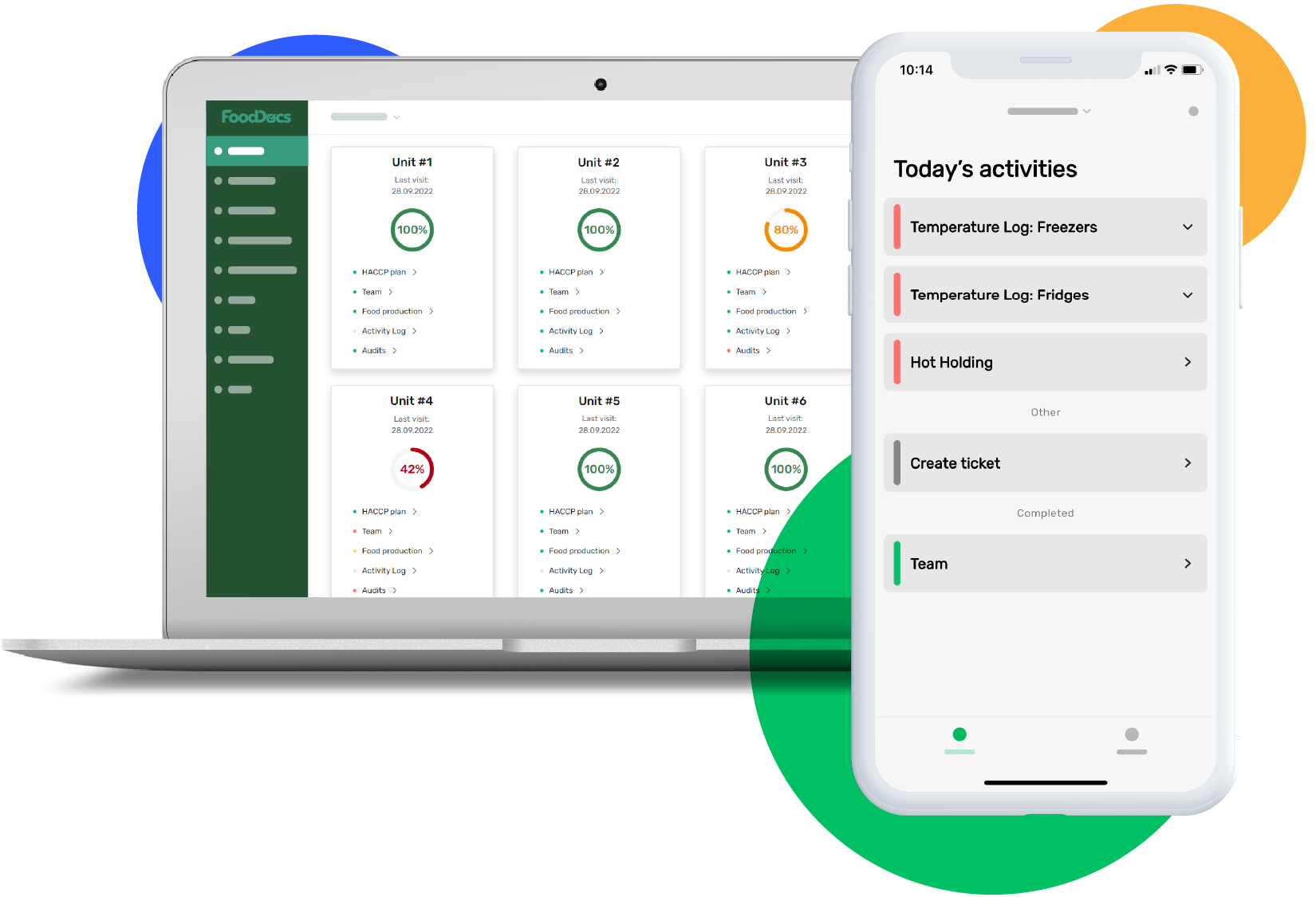
FoodDocs is designed for food businesses that want to build and run their entire digital HACCP system in one place. The platform combines HACCP plan creation, daily monitoring, and traceability tools so teams can move from documentation to real operational control.
Best for
Restaurants, food-to-go businesses, grocery kitchens, care homes, and central kitchens that want a simple way to standardise food safety across teams and locations.
Key features
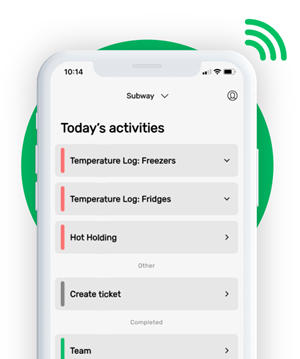
- Digital food safety monitoring logs and checklists that guide staff through daily tasks
- Visual step-by-step instructions built into the mobile app to train teams easily and keep them quick and consistent
- HACCP plan builder that creates a full plan in under an hour, including hazard analysis, CCPs, flow charts, and standard operating procedures
- Mobile notifications and reminders to help ensure checks are completed on time
- Food traceability tools for tracking ingredients, batches, and production records
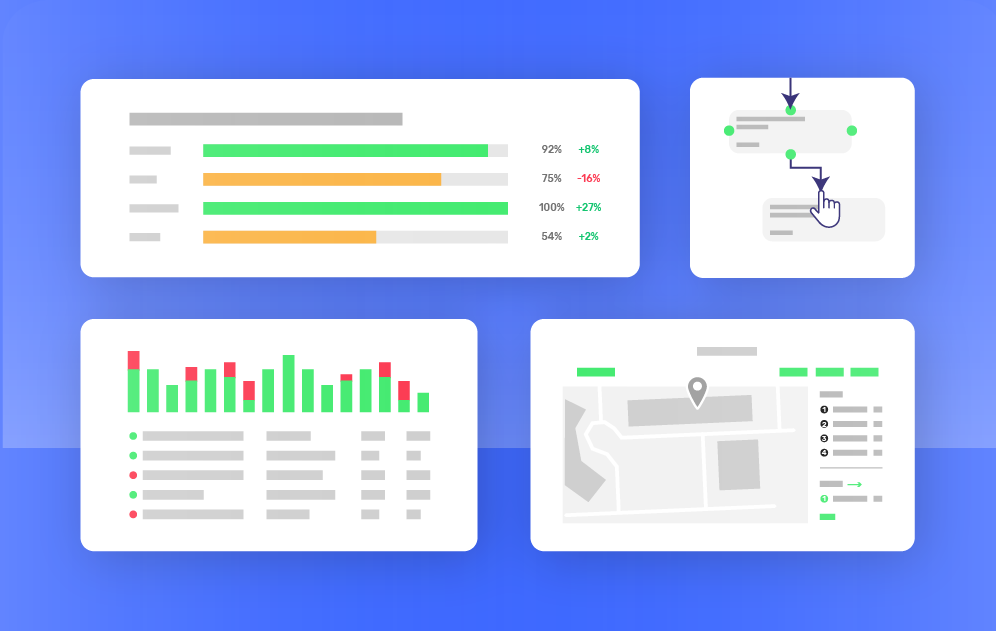
- Central dashboards showing compliance status across locations
Pros
- Intuitive native app and desktop solution, making it easy to navigate for all users, from teams to management and setup to daily use
- Very fast HACCP plan creation and food safety management system setup
- Built specifically for multi-site hospitality, retail food-to-go, healthcare, and central kitchens
- Combines HACCP planning, monitoring, and traceability
- Once centralised real-time dashboard for multi-site overview
Cons
- Businesses that only need inspection checklists may prefer simpler audit tools
- Not designed for large food manufacturing operations with complex inventory systems
Web and mobile accessibility
Web, iOS, and Android.
Pricing
Everyone can start with a 14-day free trial. FoodDocs pricing plans are available monthly or annually and start at £59 per site per month on an annual plan (i.e., $125 or €79).

Trail

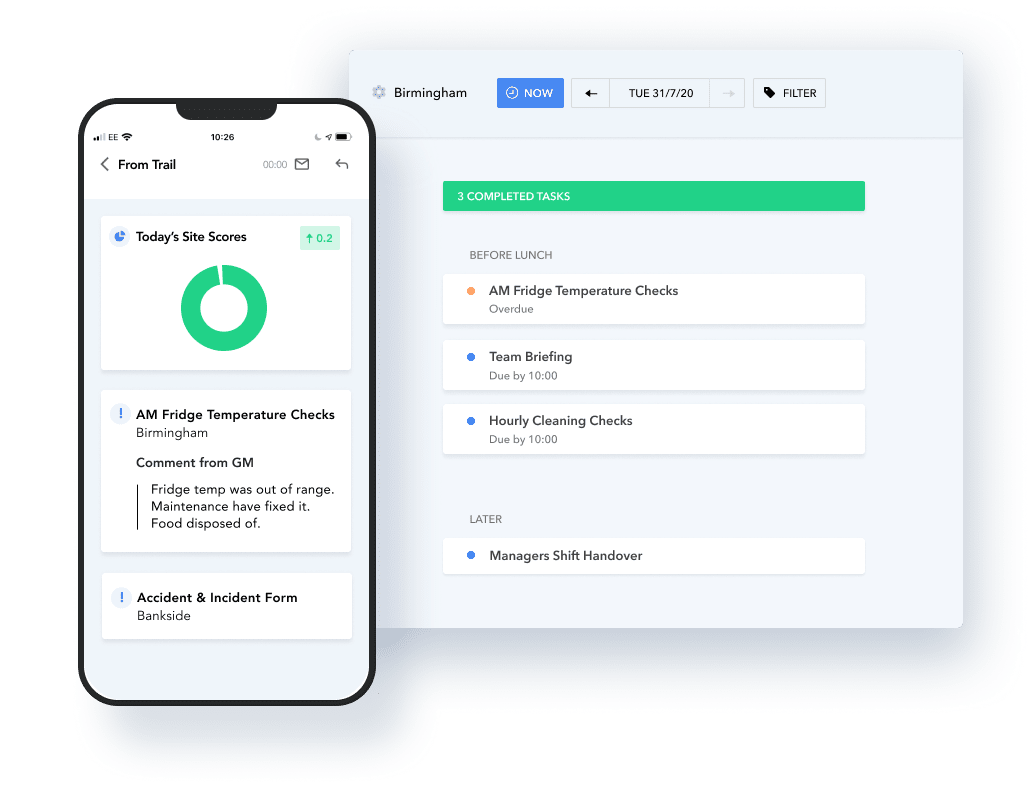
Trail is a hospitality operations platform that helps teams manage daily tasks through digital checklists and automated reminders.
The system is designed to replace paper logs with structured workflows that prompt staff to complete important checks at the right time. All records are stored in the cloud so teams can quickly show evidence during inspections.
Best for
Restaurants and hospitality groups, particularly multi-site operations, that want a simple way to ensure daily food safety tasks are completed and properly recorded.
Key features
- Smart digital checklists that guide staff through routine tasks such as opening checks, cleaning procedures, and temperature logs.
- Role-based task prompts that remind the right person to complete checks at the correct time.
- Cloud-based record storage so food safety records are securely stored and accessible during inspections.
- Time-stamped audit trails with optional photos and comments to document evidence of completed tasks.
- Automatic alerts when checks fall outside expected parameters so teams can respond quickly.
- Template library and custom checklists that allow operators to standardise procedures across locations.
Pros
- Simple workflow model that is easy for kitchen teams to adopt
- Automated reminders help reduce missed compliance checks
- Strong evidence capture through timestamps, photos, and comments
- Cloud-based records remove the need for paper logs and spreadsheets
- Suitable for multi-site restaurant and hospitality operations
Cons
- The work management app is web-based and runs in a browser so, compared to a native mobile app, push notifications can be inconsistent and may lead to missed tasks
- Some device functions such as the camera are more limited, slowing down task completion
- The report’s user experience may be difficult to understand because of the lengthy vertical layout
Web and mobile accessibility
Web only, but optimized for mobile.
Pricing
Trail offers a 14-day free trial after which plans start at £38 per site per month.
FoodAlert’s Alert65

Alert65 is a food safety platform developed by the consultancy Food Alert. Its digital HACCP module helps hospitality operators manage HACCP procedures centrally.
Best for
Hospitality groups that need structured HACCP governance across multiple sites.
Key features
- Digital HACCP management in one system so your HACCP plan is easy to access, update, and manage.
- Team-based task assignments and competency tracking so monitoring checks are completed by the right people.
- Risk mapping for high-risk foods and tasks so teams can clearly see where tighter controls are needed.
- Production flowcharts that standardise processes and reduce errors during busy service.
- HACCP review tracking with version history so you can show the latest approved plan during audits.
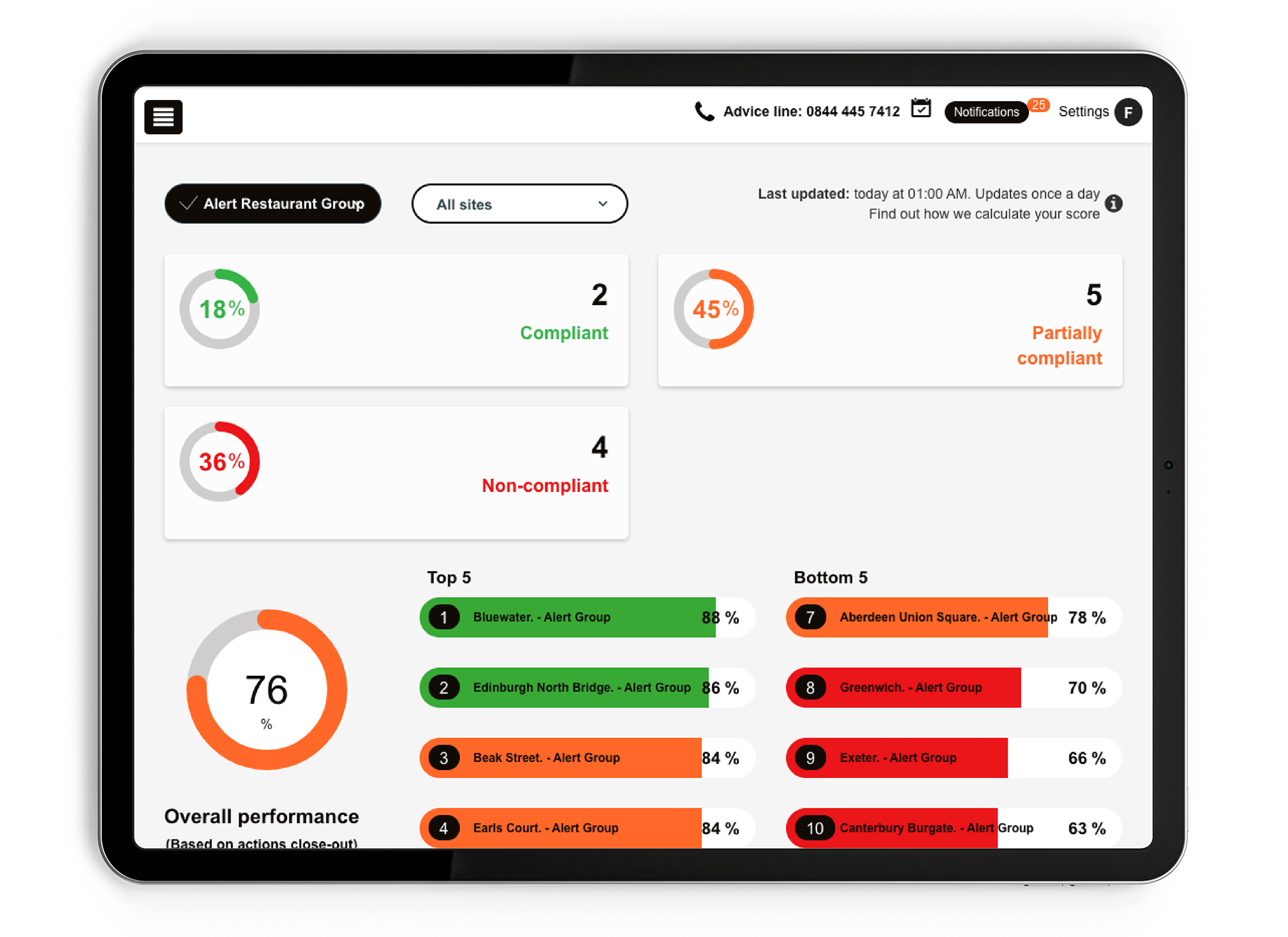
- Custom reports and scheduled dashboards so food safety leaders can spot trends and address issues early.
Pros
- You can manually create your digital HACCP plan from scratch (though it can be quite time-consuming)
- Includes dedicated supplier management feature
- Useful for larger hospitality groups
Cons
- Less user-friendly due to slow performance on both the app and desktop
- The software requires an on-site support with a consultant, which makes the onboarding and customization process lengthy and more timeconsuming
- Offers flexibility in customization options, but all adjustments require customer support involvement
Web and mobile accessibility
Web, iOS, and Android.
Pricing
Quote-based and an annual membership is required for access. But third-party sources say that Alert65 pricing plans start at £20,000 per year.
Leafe Pro

Leafe Pro combines food safety software with compliance support services. The company’s experts can help create and maintain HACCP documentation while the mobile app handles daily compliance tasks.
Best for
UK restaurant groups that want both compliance expertise and digital record keeping.
Key features
- Written-for-you HACCP plans and food safety policies with support so your documentation matches kitchen operations
- Cloud-stored HACCP documents that staff can access quickly during inspections
- Food hygiene training and certificate tracking to help ensure staff qualifications stay up to date
- Complaint and incident management support so investigations are documented properly and resolved faster
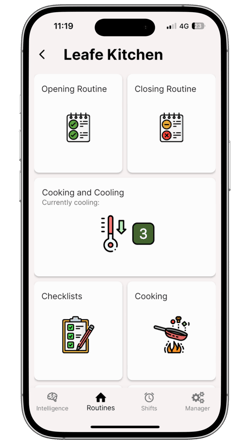
- Mobile temperature and process logs so teams can record checks during service
- Compliance dashboards and alerts that show performance by venue and notify managers when records are missed
Pros
- Managed HACCP compliance support and cloud-stored documentation
- Mobile-first foodservice workflows
- Clear compliance visibility dashboards across venues
Cons
- Unable to customize compliance and other tasks (i.e., you can only select between pre-built tasks)
- Temperature limits can't be changed and the app does not have corrective action triggers
- No digital traceability system and while there’s an inventory feature, you can just edit the stock level
- No HACCP plan builder with on-demand editing; they upload your bespoke HACCP plan in the documents tab for you with the option to upload any other existing documents
Web and mobile accessibility
Web, iOS, and Android.
Pricing
After the 7-day free trial, plans start from £28 per venue per month for a solo account.
Navitas Safety Food Safety Software

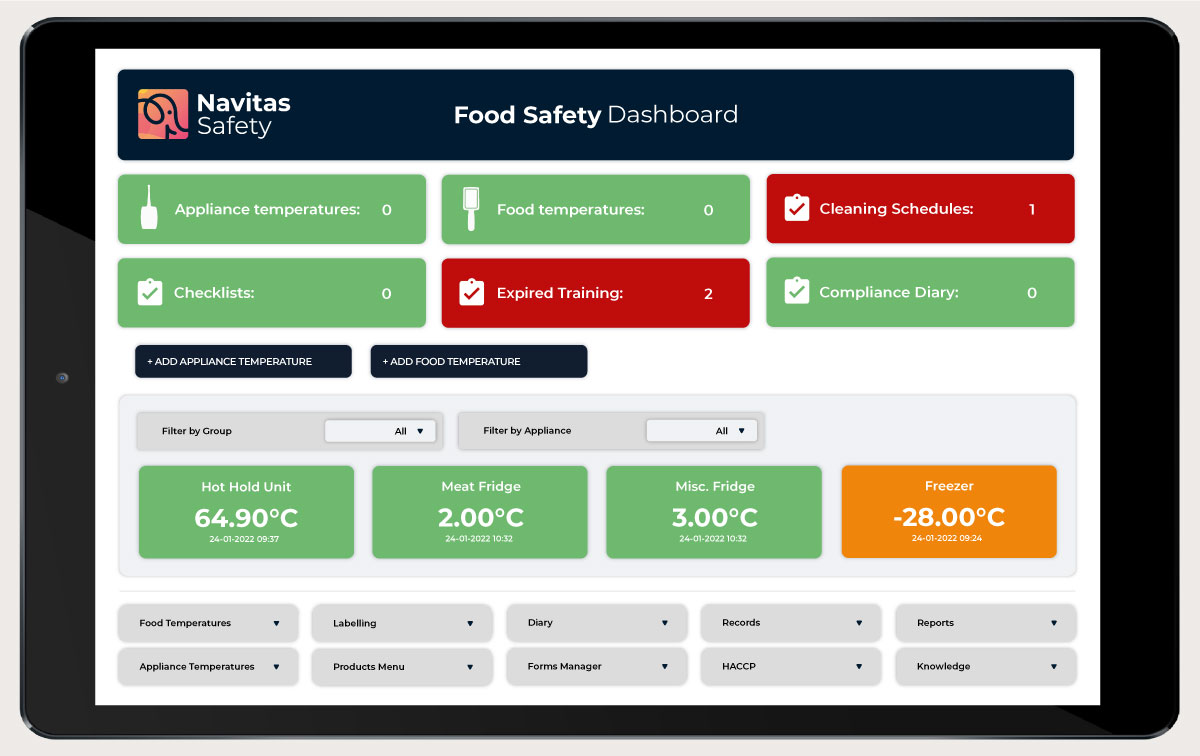
Navitas Safety offers a digital food safety system designed to help food businesses manage daily compliance tasks and maintain clear due diligence records.
The platform replaces paper-based processes with digital checklists, temperature logs, and a central location for HACCP documentation and policies. This makes it easier for teams to complete routine checks and quickly retrieve records during inspections.
Best for
Restaurants, contract caterers, and care homes that want to move food safety processes into a single digital system and maintain inspection-ready records across one or multiple sites.
Key features
- Digital checklists that replace paper logs and allow teams to complete daily food safety checks using standard templates or customised forms.
- Temperature recording with built-in guidelines so staff can quickly identify readings outside safe limits and take action.
- Real-time task dashboard that shows managers which checks are completed, missed, or overdue across locations.
- Centralised HACCP and policy storage so teams always access the latest procedures during daily operations or inspections.
- Supplier and ingredient traceability tools to support stronger due diligence when receiving and managing ingredients.
- Staff records and training information are stored alongside compliance records to simplify documentation reviews.
Pros
- Moves food safety records from paper to a central digital system
- Real-time task visibility helps managers identify missed checks quickly
- Built-in temperature guidelines help highlight potential safety issues earlier
- Designed to scale from single-site kitchens to large multi-location operations
- Combines HACCP documentation, checklists, and staff records in one place
Cons
- The generic overview fails to provide a company-wide view of food safety, since reporting is limited to a single location at a time
- Multi-site companies rely on customer support to customise or update tasks, resulting in a slower rollout of changes
- Onboarding is only included with a 1-2 year contract commitment
Web and mobile accessibility
Web, iOS, and Android.
Pricing
Navitas Safety plans start with £39 per month for smaller teams and limited features. All subscriptions require at least a 1-2 year contract commitment.
Food Safety Guru

Food Safety Guru provides a digital food safety management system designed to help food businesses replace paper records with simple digital processes.
Best for
Hospitality-style food businesses that want a straightforward mobile system for managing daily compliance tasks.
The platform is commonly used by independent restaurants, multi-site hospitality groups, schools, nurseries, care homes, and franchise operations.
Key features
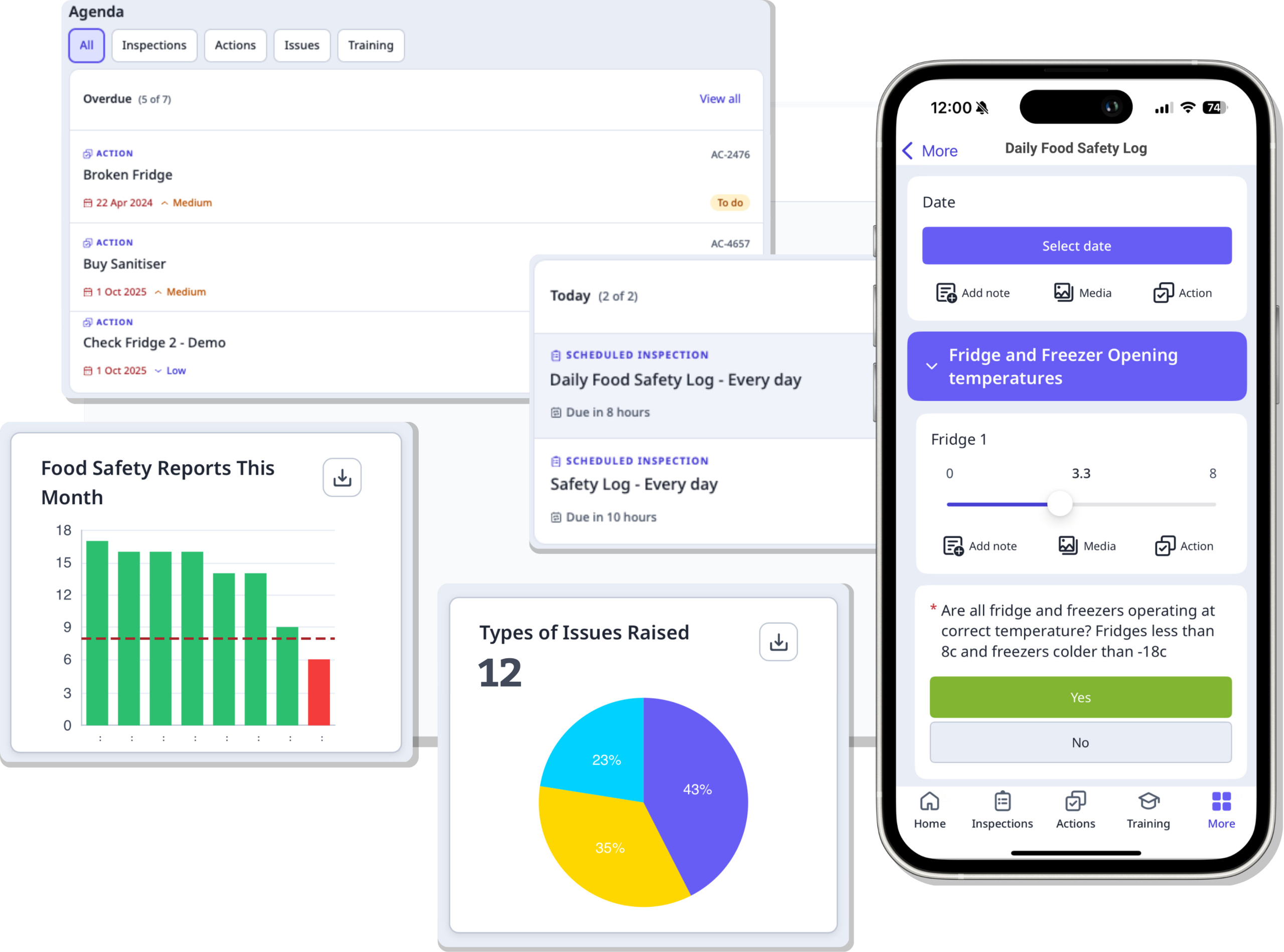
- Customisable digital checklists for daily kitchen logs, cleaning schedules, and operational checks. Each entry is time-stamped and stored securely for audit purposes.
- Mobile-first task completion so staff can complete checks on a phone or tablet while managers monitor activity across sites.
- Real-time dashboards and alerts that help managers identify missed checks or potential issues quickly.
- Allergen management tools that record allergen information and flag potential risks during service.
- Automated reporting designed to provide a clear overview of compliance activity for management and inspections.
- Ongoing system updates and support, with the vendor stating that regulatory changes and guidance updates are reflected within the platform.
Pros
- Combines key compliance workflows such as checks, records, allergens, and HACCP documentation in one system
- Time-stamped records help kitchens maintain inspection-ready documentation
- Real-time alerts and dashboards support oversight across multiple sites
- Flexible subscription model with no long-term contract
Cons
- Pricing details are not publicly listed and require confirmation during evaluation
- Messaging is focused on UK inspection frameworks, so operators in other regions may need to confirm regulatory alignment
- Integration and data export capabilities are not fully detailed on the product pages
Web and mobile accessibility
Web, iOS, and Android.
Pricing
Food Safety Guru states that the system is offered through a no-contract monthly rolling subscription with full access to everything, including access to HACCP tools and support. Pricing is not listed publicly.
Jolt

Jolt focuses on restaurant operations and food safety monitoring, particularly temperature control and food labelling. It’s widely used by restaurants that want to replace paper logs with automated records and alerts.
Best for
Restaurants that want reliable temperature monitoring and digital compliance records.
Key features
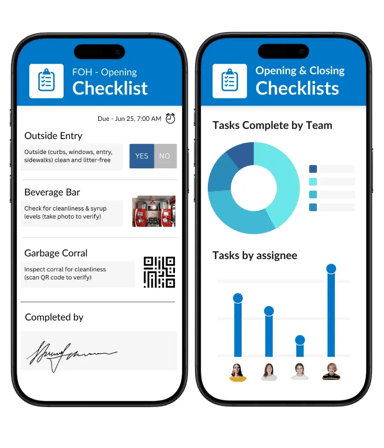
- Digital temperature logs and food labelling
- You can add instructions to app tasks to help train your team to fill food safety tasks correctly.
- Notifications and tasks are highly customizable, with an option to limit when tasks can be completed.
- Timers and reminders for cooling processes and real-time alerts for temperature deviations
- Time-stamped compliance records, clear digital records, and inspection-ready reports
- Can be integrated with only the hardware Jolt offers, including label printers, sensors and probes, which may be limited depending on existing or more competitive hardware
Pros
- A powerful tool for organizing all your team-related information, including shifts, onboarding, clock-in and clock-out features, etc.
- Offers a visualization tool where you can filter data by period, people, locations, products, and processes as well as export a spreadsheet of that data
- You can upload recipe-related information under the Information Library, including recipes, cleaning procedures, manuals, handbooks, etc.
Cons
- You can upload your existing HACCP Plan under the Information Library; however, there’s no HACCP plan builder
- Since the system offers a great number of different options in the setup, the user interface might feel overwhelming
- Jolt-specific supplies (e.g., label hardware, label rolls, sensors, temperature probes, and mobile device cases) may feel limiting for companies with existing contracts or that want more competitive hardware
Web and mobile accessibility
Web, iOS, and Android.
Pricing
Third-party review sites such as Capterra indicate pricing from around US$89.99 per user per month. Tailor-made pricing is available for all teams upon request.
SafetyCulture

SafetyCulture is a flexible inspection and operations platform used across many industries. It allows teams to build custom checklists and inspections for food safety monitoring.
Best for
Businesses that want a configurable platform for inspections and corrective actions.
Key features
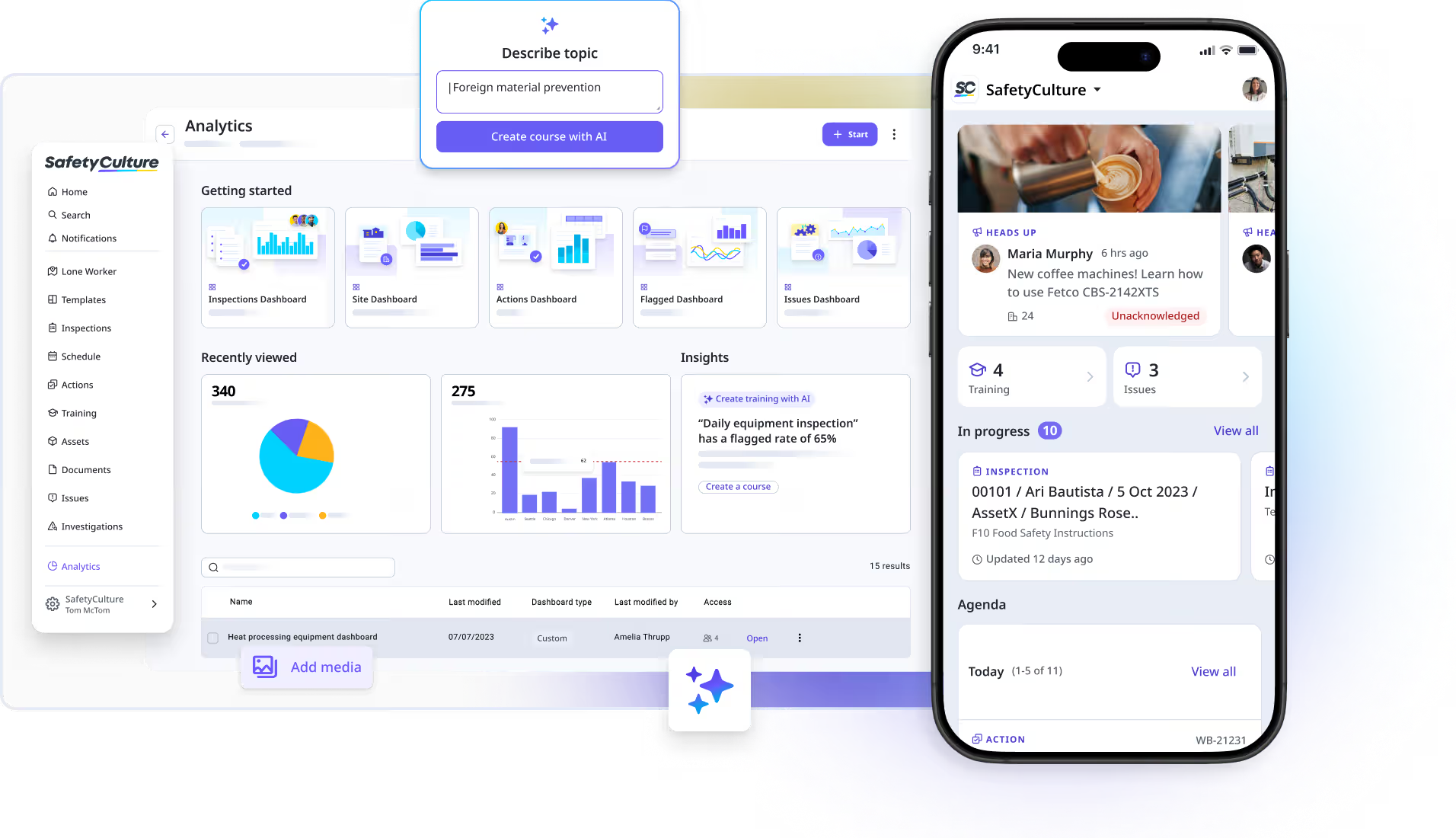
- Digital inspections and audits
- Corrective action management
- Sensor alerts
- Bluetooth device integrations
- Training management tools
Pros
- Highly customizable, making it ideal for companies with demanding auditing standards
- Excellent tool for HACCP compliance auditors in their daily work, although it may be more challenging for the company’s quality manager and their team
- A powerful analytics tool is available with the ability to extract all data as CSV or XLS files to analyze it according to your needs
- A valuable tool for team training, allowing you to create customized sessions, including onboarding, and tracking progress
Cons
- Offers a wide range of inspection templates, but the lack of a default setup requires significantly more effort to test and implement
- Filling daily tasks takes considerably longer due to the extra clicks and distracting options for each basic field
- Requires setup to build HACCP workflows and do monitoring as it’s built more auditor-centric
Web and mobile accessibility
Web, iOS, and Android.
Pricing
In addition to a 30-day free trial, there’s a free plan available for up to 10 users with basic features and limited inspection templates. Premium plans start at $24 per user per month when billed annually.
Final recommendation: Which of the best digital HACCP compliance tools should you shortlist?
FoodDocs offers the most complete and balanced digital HACCP solution for Food Safety Leaders, Executive Chefs, and Operations Managers who work in restaurants, grocery kitchens, care homes, and central kitchens.
Thanks to the fast HACCP plan and food safety system creation; daily monitoring tools for teams with real-time visibility; as well as traceability and inspection-ready reporting, FoodDocs' customers most most appreciate its:
Businesses evaluating the best HACCP software should consider starting with a 14-day FoodDocs free trial or 15-minute product demo to see how the system fits their existing workflows.
How to choose the right digital HACCP compliance tool
Choosing the right food safety compliance software becomes much easier when you separate two parts of the system: HACCP system creation and daily HACCP execution.
The first focuses on building a HACCP system, which includes your HACCP Plan creation and setting up the system. The second focuses on running that food safety management system every day through monitoring, corrective actions, verification, and recordkeeping.
A strong digital HACCP tool must support both. It should help you build a compliant system and make it easy for your team to follow it consistently in real kitchen environments.
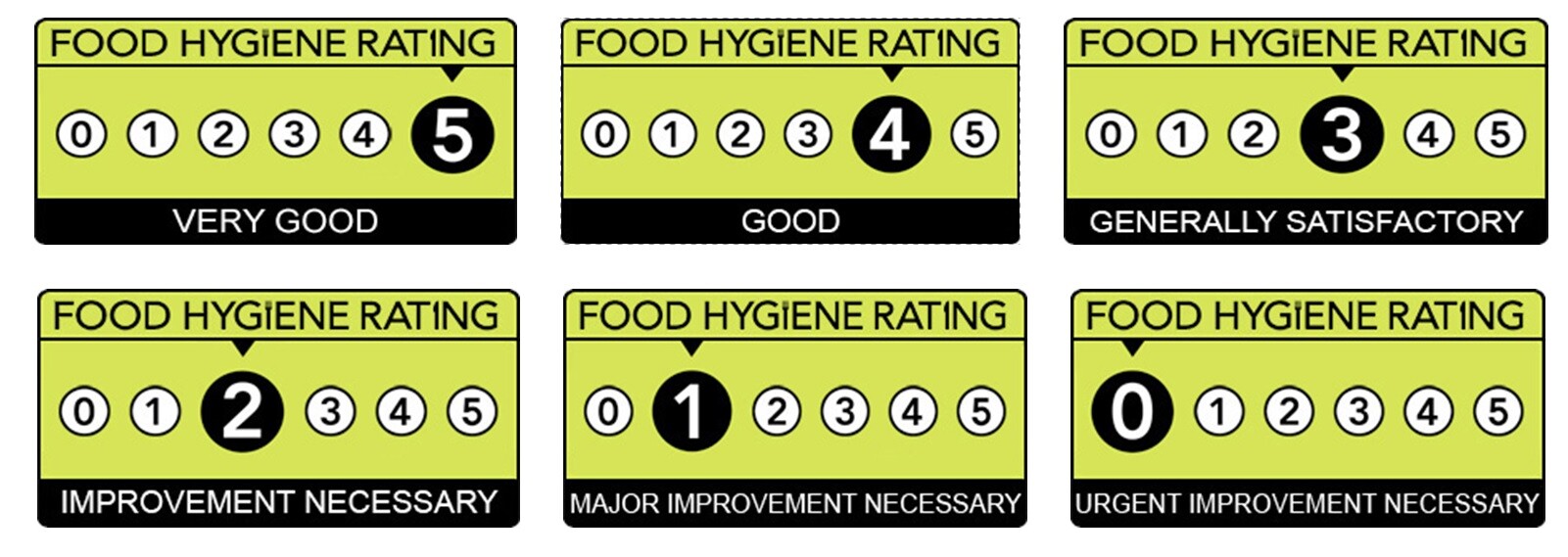
Building a strong and sound HACCP foundation will grow in importance and allow you to grow more quickly and open new locations. All while staying compliant, keeping EHOs happy, and earning 5-star food hygiene rating scores.
Below are the most important capabilities to consider when comparing HACCP compliance tools.
1. Full HACCP system maintenance and plan creation
Again, make 100% sure the HACCP tools you're considering cover your food safety management system needs end-to-end, from the plan document to the actual monitoring processes.
FoodDocs' software, for example, will set up your monitoring tasks automatically, according to local regulations and other similar companies’ data. That way, you can start saving time with an established monitoring system right after completing your profile.
Some food businesses need help creating or updating their HACCP plan. Others already have documentation in place and only need tools to manage daily monitoring.
If you need to build or refresh your HACCP documentation quickly, software that guides plan creation can save significant time. These platforms often help generate hazard analyses, identify critical control points, and organise supporting documentation.
If your HACCP plan already exists and is approved or updated, you may instead focus on execution tools such as digital checklists, monitoring logs, corrective action workflows, and reporting dashboards.
2. Monitoring that prevents missed checks
Effective HACCP monitoring is about more than recording values. It ensures that checks are completed on time and that deviations trigger action immediately.
Digital HACCP tools can support this by sending reminders for scheduled checks and alerts when critical limits are exceeded. This is particularly useful during busy service periods when manual logs are often forgotten.
For operations that rely heavily on refrigeration, such as grocery kitchens, care homes, or central production kitchens, continuous temperature monitoring can also reduce spoilage and improve food safety control.
3. Corrective action workflows and verification
Corrective actions are a core part of HACCP systems. When a critical limit is exceeded, the issue must be recorded, addressed, and verified.
The right software should allow teams to document what happened, assign responsibility for resolving the issue, and record verification once the problem has been corrected. This helps ensure problems are not only recorded but properly resolved.
4. Audit readiness and record retrieval
Food safety inspections often depend on clear documentation. Inspectors typically want to see monitoring records, corrective actions, and verification evidence.
Digital systems make this much easier by storing time-stamped records in one place. Teams can quickly retrieve logs, export reports, and demonstrate compliance without searching through paper files.
5. Multi-location oversight
For organisations with multiple kitchens or sites, consistency becomes a major challenge.
HACCP software should make it easy to standardise procedures across locations. This includes central control over templates, standard operating procedures, permissions, and reporting.
When updates are made, they should apply across all locations so teams always follow the most current procedures.
What are the most important regulatory and operational considerations when researching digital HACCP tools?
When evaluating HACCP software, it is important to understand both the regulatory expectations and the operational realities of food safety management. The right system should help your team stay compliant while also supporting daily kitchen workflows.
HACCP-based food safety systems are required in many regions
In many countries, food businesses are required to operate food safety procedures based on HACCP principles.
- In the United Kingdom, food safety management procedures are expected to be based on HACCP principles. Government guidance states that food businesses must have a food safety management system built around these principles.
- Across the European Union, Regulation (EC) No 852/2004 on the hygiene of foodstuffs requires food business operators to put in place, implement, and maintain procedures based on HACCP principles.
- In Canada, HACCP-based systems are widely used in federally regulated sectors. Programmes such as the Canadian Food Inspection Agency’s Food Safety Enhancement Program support the development and implementation of HACCP-based food safety systems.
- In the United States, HACCP principles and application guidelines define the seven core principles used to develop HACCP plans. These include hazard analysis, monitoring, corrective actions, verification, and recordkeeping.
Together, these frameworks show that HACCP-based food safety management is not optional for many food businesses. Software tools should support these principles directly so teams can maintain clear documentation and demonstrate compliance.
|
Region
|
Regulation
|
Requirement
|
|
United Kingdom
|
UK food safety guidance (FSA)
|
Food businesses must run food safety procedures based on HACCP principles.
|
|
European Union
|
Regulation (EC) No 852/2004
|
Food business operators must implement procedures based on HACCP principles.
|
|
Canada
|
Canadian Food Inspection Agency guidance
|
Federally regulated sectors use HACCP-based food safety systems.
|
|
United States
|
Food and Drug Administration HACCP guidelines
|
HACCP plans follow seven principles, including monitoring and recordkeeping.
|
Temperature control remains a major operational risk
Time and temperature control are two of the most important food safety factors in commercial kitchens.
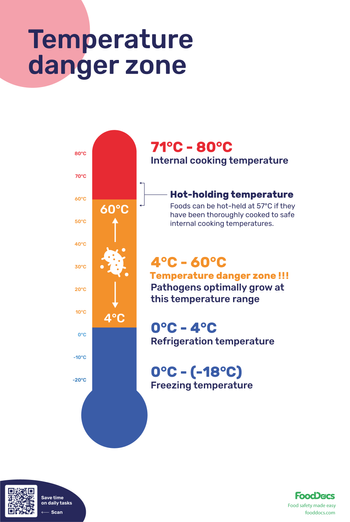
Bacteria can grow rapidly in the temperature danger zone, typically between about 4°C and 60°C (40°F and 140°F). In some conditions, bacterial populations can double in as little as 20 minutes.
Because of this, many HACCP monitoring procedures focus on temperature control during storage, cooking, cooling, and reheating. Digital tools that support reliable temperature logging and real-time alerts can help teams detect problems earlier and respond quickly.
What digital HACCP tool implementation challenges should you consider?
Even the best HACCP software will only work if it fits into daily kitchen operations. So if you want true and lasting adoption, your digital HACCP compliance tool must be easy to use and fully customizable.
With that in mind, when introducing a digital system, it's helpful to plan for a few common implementation challenges.
Put the "ease of use" claim to the test
Food businesses have different preferences when it comes to technology and devices, so you should be able to use these devices, including Apple iOS or Android, across phones, tablets, laptops, or desktops for easy access.
Easy-to-use digital HACCP tools will help make your staff more efficient with capabilities such as smart notifications that remind them of daily tasks so they never miss one and visual instructions that ensure consistent and correct task completion.
In our conversation with Northcare, their Executive Chef shared that:
Push the HACCP tool's customisability to the limits
Your digital HACCP compliance tool should be fully customizable to accommodate the most specific operational needs. Some software only allows customisability within existing food safety tasks, for example.
But every business is different, so you want to be confident that you can do things like update pre-set tasks or create new ones entirely from scratch, assign them based on roles, pause or skip tasks as needed, and more.
Avoid template overload and checkbox compliance
If digital monitoring becomes another routine task without meaningful oversight, staff may complete logs quickly without verifying the actual conditions.
To avoid this, it is important to configure monitoring workflows carefully. Features such as photo evidence, corrective action prompts, and real-time overview dashboards help ensure checks reflect real food safety controls.
Ensure hardware fits the workflow
Some systems include hardware such as wireless sensors or Bluetooth probes for temperature monitoring. Before adopting these tools, confirm how the readings are captured and where alerts appear.
Teams should clearly understand how notifications are triggered, who receives them, and how corrective actions are recorded when temperatures fall outside safe limits.
Plan for adoption during busy service periods
Food safety systems must work during peak kitchen activity, not just during quiet periods.
The most effective setups are simple for frontline teams to use. Mobile-friendly workflows, clear prompts, and role-based task assignments help staff complete monitoring checks quickly without interrupting service.