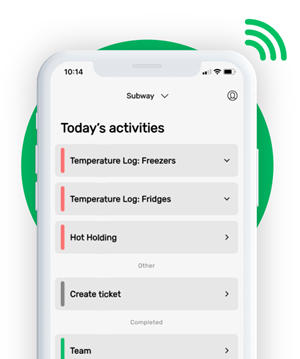





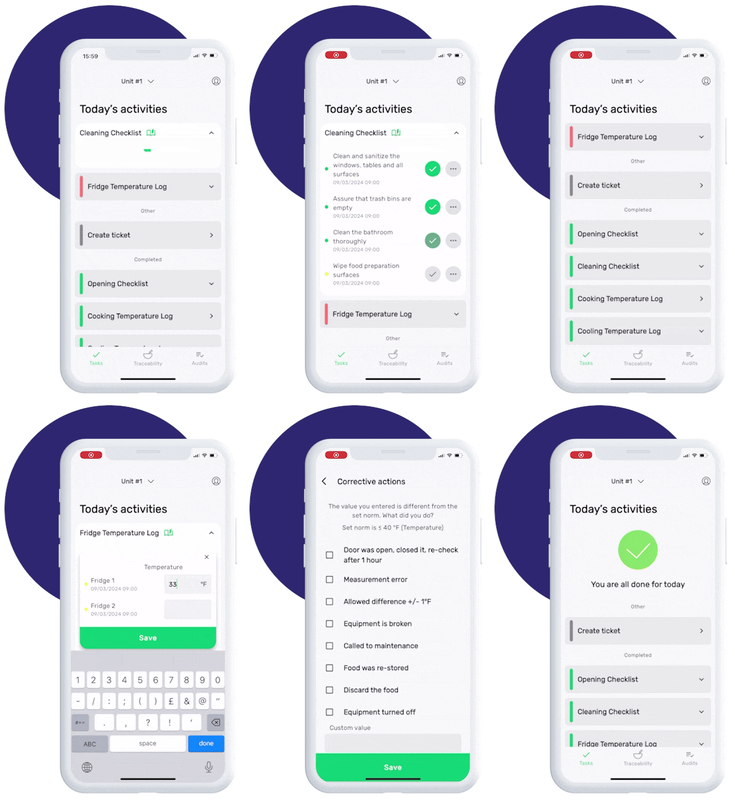
This is how our Digital Food Safety platform saves 20% of your time on daily tasks:
- Get upcoming task notifications
- Add data into the app
- Check the status of tasks in real-time


When food safety was still handled on paper, I typically spent a couple of hours per day getting the papers and going around checking or completing tasks… Now I can sit down and it's just all there in one place. It takes me 5-10 minutes.
Ruth B.
Store Manager
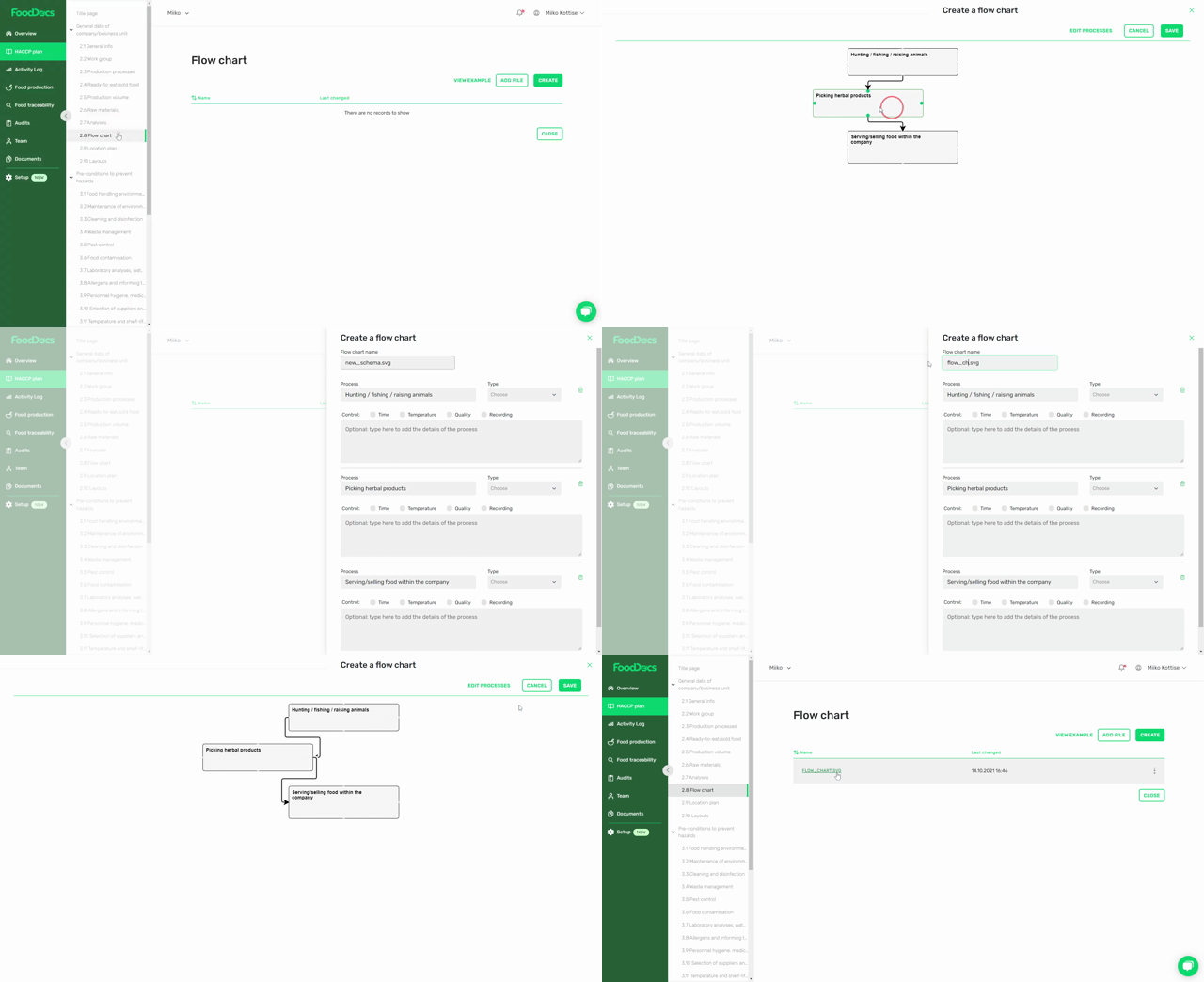
8 key elements to include in a HACCP flow chart
A complete HACCP flow chart should include all food handling stages relevant to your operation.
1. Ingredient and raw material receiving
Show where ingredients enter the process and identify supplier-related risks.
2. Storage stages
Include chilled, frozen, ambient, and segregated allergen storage where applicable.
3. Preparation processes
Document activities such as washing, cutting, mixing, portioning, thawing, or marinating.
4. Cooking, cooling, and reheating
These stages frequently contain important food safety controls and often include Critical Control Points (CCPs).
5. Holding, packaging, or plating
Food can become contaminated or enter unsafe temperature ranges during these stages if controls are not maintained.
6. Delivery or service
The final stage should show how food reaches customers, patients, residents, or consumers.
7. Process flow arrows
Arrows clearly indicate the sequence of operations and improve understanding during audits and staff training.
8. Control points and CCPs
Where applicable, identify CCPs and other control measures so they can be linked directly to monitoring procedures and critical limits.
This information provides the foundation for determining critical limits and establishing corrective actions.
How to create a HACCP flow chart in 5 steps
Step 1. Define all food processes
Start by identifying every food-related process that occurs within your operation.
Examples include:
- Receiving ingredients
- Storage
- Thawing
- Preparation
- Cooking
- Cooling
- Freezing
- Reheating
- Packaging
- Transportation
- Service
Only include stages through which food physically passes. Activities such as cleaning schedules, audits, pest control, or staff training belong elsewhere within your HACCP documentation.
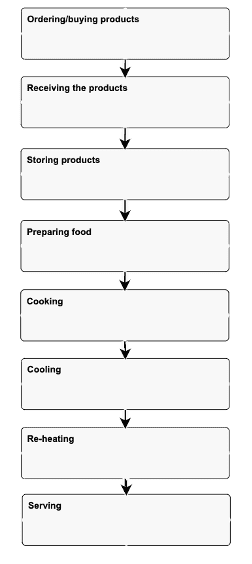
Step 2. List the process steps in order
Arrange the identified stages exactly as they occur in practice.
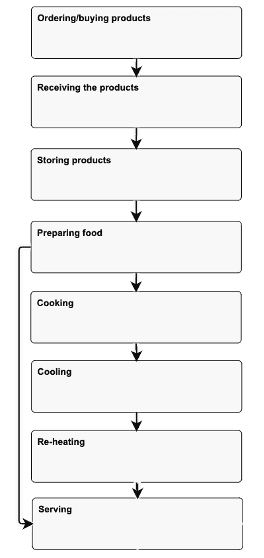
If products follow different routes, such as ready-to-eat products versus cooked meals, document each route separately.
For example:
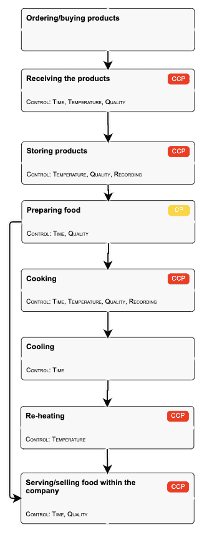
Receiving → Storage → Preparation → Cooking → Hot Holding → Service
or
Receiving → Storage → Preparation → Packaging → Delivery
The chart should reflect actual operations, not intended procedures.
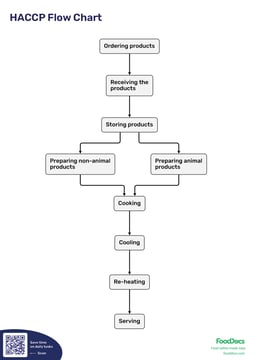
See below how the flow process chart changes:
Step 3. Identify control points and critical control points
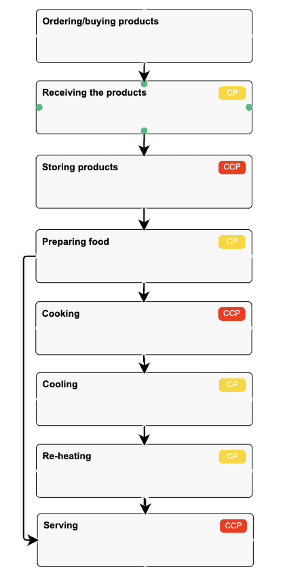
Once the process is mapped, review each stage for potential hazards and identify any control points.
Some stages may become CCPs because they prevent, eliminate, or reduce hazards to acceptable levels.
Examples commonly found in hospitality operations include:
- Cooking
- Cooling
- Reheating
- Hot holding
Understanding the difference between CCPs and standard controls is essential when applying the 7 HACCP principles.
You can also review common critical control point examples to understand how these are typically applied in food businesses.
Step 4. Define control measures
For each control point, identify what must be monitored.
Examples include:
- Cooking temperature
- Cooling time
- Hot holding temperature
- Delivery temperature
- Allergen controls
These measures support hazard prevention and ensure food remains safe throughout the process.
Step 5. Verify the flow chart
Verification confirms that the flow chart accurately reflects real operations.
A practical verification should include:
- Walking through the operation step-by-step
- Comparing the chart to actual practice
- Consulting chefs, supervisors, and food safety leads
- Correcting any missing or inaccurate stages
Verification is one of the preliminary HACCP activities and should occur before the hazard analysis begins.
Who should create and verify the HACCP flow chart?
The most accurate HACCP flow charts are developed by a multidisciplinary team.
Typical contributors include:
- Food safety managers
- Head chefs
- Kitchen supervisors
- Catering managers
- Operations managers
- Quality assurance personnel
Each team member brings operational knowledge that helps ensure the diagram accurately reflects daily activities.
Verification should always involve an on-site review rather than a desk-based assessment alone.
When should you update your HACCP flow chart?
Your HACCP flow chart should be reviewed regularly and updated whenever significant changes occur.
Common triggers include:
- Annual HACCP review
- New equipment installation
- Menu changes
- New suppliers
- New ingredients
- Allergen changes
- Introduction of delivery services
- New production processes
- Audit findings requiring corrective action
Changes should also be reflected in your prerequisite programmes where relevant.
Keeping historical versions can help demonstrate continuous improvement and due diligence during inspections.
How FoodDocs helps create HACCP flow charts faster
Creating a HACCP flow chart manually can take hours or even days, especially when multiple product groups require separate diagrams.
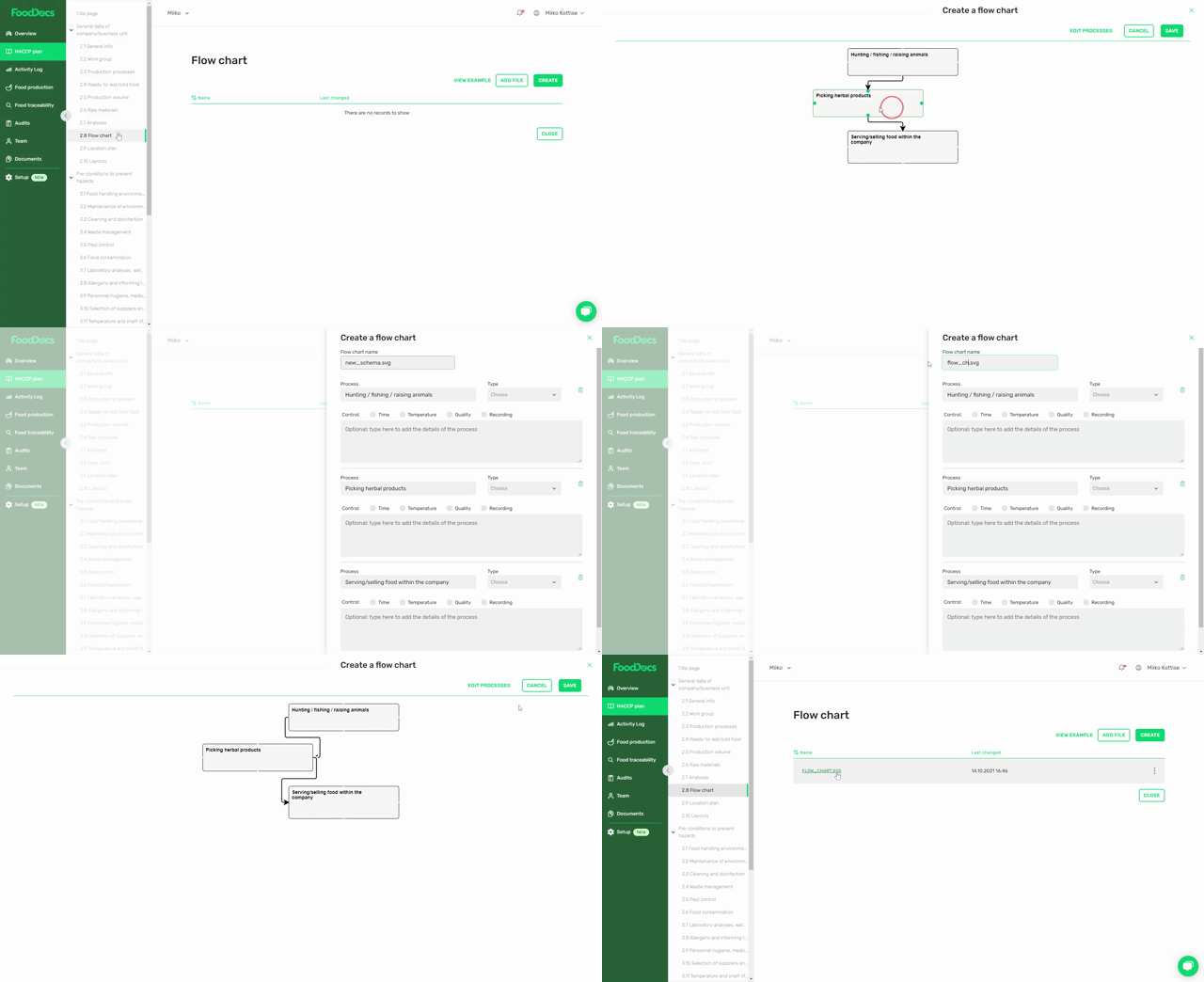
FoodDocs automatically generates a HACCP flow chart as part of a complete HACCP plan in less than one hour.
The system also creates associated HACCP documentation, including:
- Hazard analysis
- Critical Control Points (CCPs)
- Critical limits
- Monitoring procedures
- Corrective actions
- Verification procedures
- SOPs
- Prerequisite programmes
Benefits include:
- Easy drag-and-drop editing
- Unlimited flow charts for different product groups
- Consistent documentation across locations
- Faster HACCP implementation
- Simplified audit preparation
FoodDocs gives food safety leaders a real-time overview of HACCP plans and flow charts across all locations and allows them to update documentation centrally without visiting individual sites, saving valuable time.
.png?width=600&height=409&name=FSMS_hero%20(1).png)
Frequently asked questions

 An automated setup enables you to go digital in 15 minutes
Our app notifications help your team to remember all daily tasks bam
Save time on supervising and use automatically filled monitoring sheets