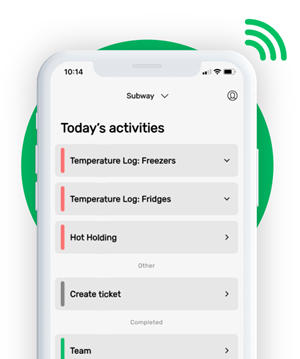





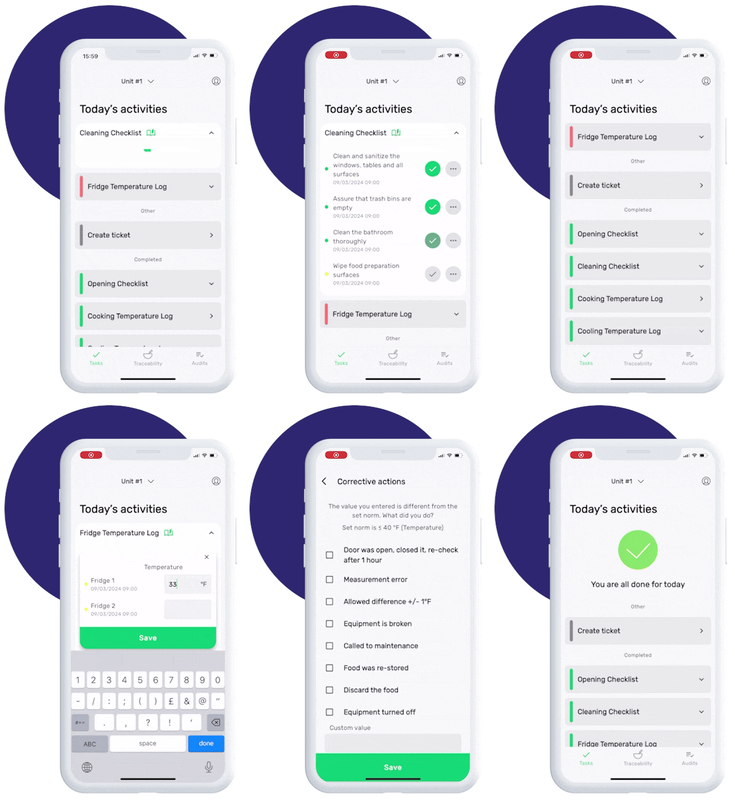
This is how our Digital Food Safety platform saves 20% of your time on daily tasks:
- Get upcoming task notifications
- Add data into the app
- Check the status of tasks in real-time


When food safety was still handled on paper, I typically spent a couple of hours per day getting the papers and going around checking or completing tasks… Now I can sit down and it's just all there in one place. It takes me 5-10 minutes.

Ruth B.
Store Manager
Why do I need a cooking log?
A cooking log is an essential food safety record used to document cooking temperatures and verify that food has been cooked safely. Kitchen teams use cooking logs to record core temperatures, identify failed checks, and document corrective actions when food does not meet safe cooking requirements.
Cooking logs are commonly used in:
- Restaurant kitchens
- Hotels
- Care homes
- Healthcare catering
- School kitchens
- Food-to-go operations
- Central production kitchens
- Catering businesses
Keeping accurate cooking records helps food safety teams demonstrate that cooking procedures are being followed consistently across every shift and location.
Digital cooking logs help teams complete cooking checks correctly, saving food safety leaders time on training.
Why are cooking temperature checks important?
Cooking food to the correct internal temperature helps destroy harmful bacteria and reduce the risk of foodborne illness. According to the Food Standards Agency, food should normally reach at least 70°C for 2 minutes or an equivalent time and temperature combination to achieve safe cooking.
High-risk foods that require temperature monitoring include:
- Poultry
- Burgers and minced meat
- Prepared meals
- Sauces and gravies
- Rice dishes
- Seafood
- Reheated foods
Core temperature checks also help kitchen teams maintain food quality and consistency during busy service periods. Measuring temperature correctly reduces the risk of overcooking, undercooking, or serving unsafe food.
What should be included in a cooking log?
A cooking log template should include enough information to demonstrate that food has been monitored correctly and cooked safely.
Most cooking logs include:
- Date and time
- Food item name
- Internal temperature reading
- Target cooking temperature
- Corrective action details
- Employee name or signature
- Verification checks where required
Some hospitality and healthcare operations also include batch numbers, production areas, or kitchen locations as part of their HACCP documentation.
How to use this cooking log template
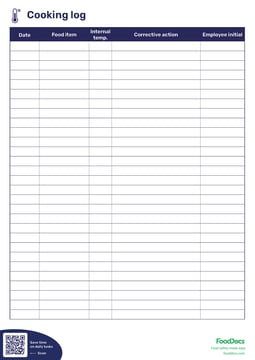
Use this cooking log to record the core temperature of cooked food items during preparation or service.
To complete the log correctly:
- Record the date and time of cooking
- Write down the food item being checked
- Insert the food probe into the thickest part of the food
- Record the measured internal temperature
- Document any corrective actions taken
- Add the employee name or signature
Corrective actions may include:
- Continuing cooking
- Reheating the product
- Discarding unsafe food
- Rechecking equipment
- Calibrating the food probe
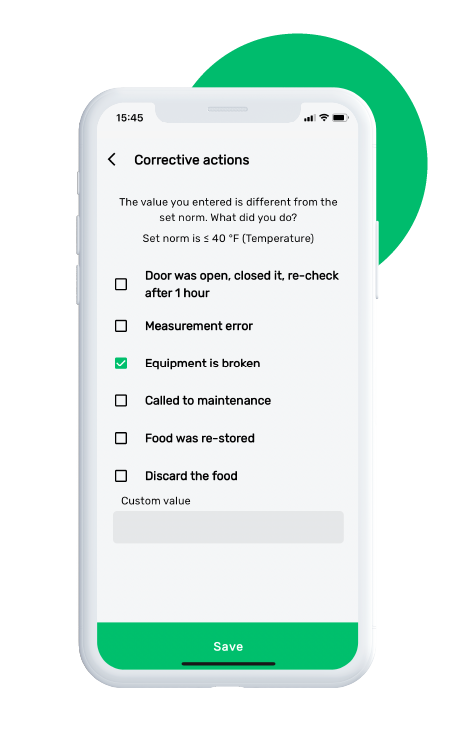
Digital monitoring checks include corrective actions. If a task is out of range, a prompt will guide your team on how to respond, ensuring food safety and saving time on training.
Common mistakes when completing cooking logs
Cooking records often become unreliable because checks are completed incorrectly or inconsistently.
Common issues include:
- Recording temperatures without taking actual measurements
- Using uncalibrated probes
- Measuring the wrong part of the food
- Missing corrective action records
- Completing logs after service instead of during cooking
- Missing signatures or timestamps
- Storing paper records inconsistently
These problems can create issues during HACCP verification and EHO inspections.
How cooking logs support HACCP compliance?
Cooking logs help businesses monitor critical control points within their HACCP system. Accurate records demonstrate that cooking checks are completed consistently and that corrective actions are taken when problems occur.
EHOs often review cooking records to verify that:
- Safe cooking temperatures are monitored
- Staff complete checks correctly
- Corrective actions are documented
- Records are stored properly
- Kitchen procedures match HACCP documentation
Reliable cooking records are especially important for multi-site hospitality businesses and healthcare catering operations where consistency across locations matters.
Digital vs paper cooking logs
Many kitchens still rely on paper cooking logs, but paper-based systems can become difficult to manage across multiple sites and shifts. Missing records, inconsistent checks, and limited visibility are common operational challenges.
Digital cooking logs help standardise food safety procedures by:
- Reducing missed checks
- Improving operational visibility
- Storing records automatically
- Simplifying audit preparation
- Standardising kitchen routines
- Supporting real-time corrective actions
FoodDocs helps hospitality and healthcare teams digitise cooking logs, organise HACCP records, and monitor food safety checks from a central dashboard.
.png?width=1650&height=1125&name=FSMS_hero%20(1).png)
Frequently asked questions
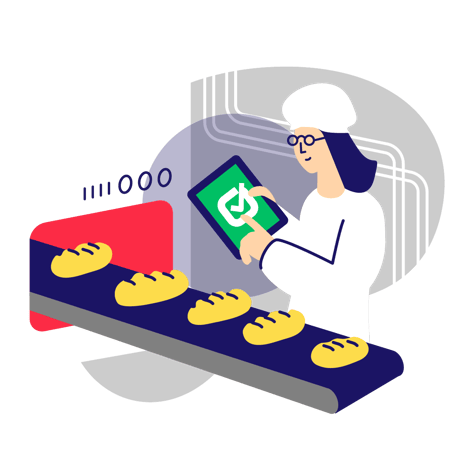
 An automated setup enables you to go digital in 15 minutes
Our app notifications help your team to remember all daily tasks bam
Save time on supervising and use automatically filled monitoring sheets