
Please note:
- Before you start downloading your HACCP Plan with local authorities, you need to review it and customize your HACCP Plan according to your company's specifics.
HACCP Plan software creates your HACCP according to local regulations and similar companies' statistics.
- HACCP plan PDF download is available with an annual subscription plan > Basic, Standard, or Professional package.
To download a PDF copy of your HACCP plan, follow these easy steps:
- Log into your FoodDocs account on your computer
- Go to the HACCP plan
- In the top right, press the Generate button
Please note: Confirming your HACCP Plan is available only after you have completed all needed sections about your business profile and they have turned green on your desktop.
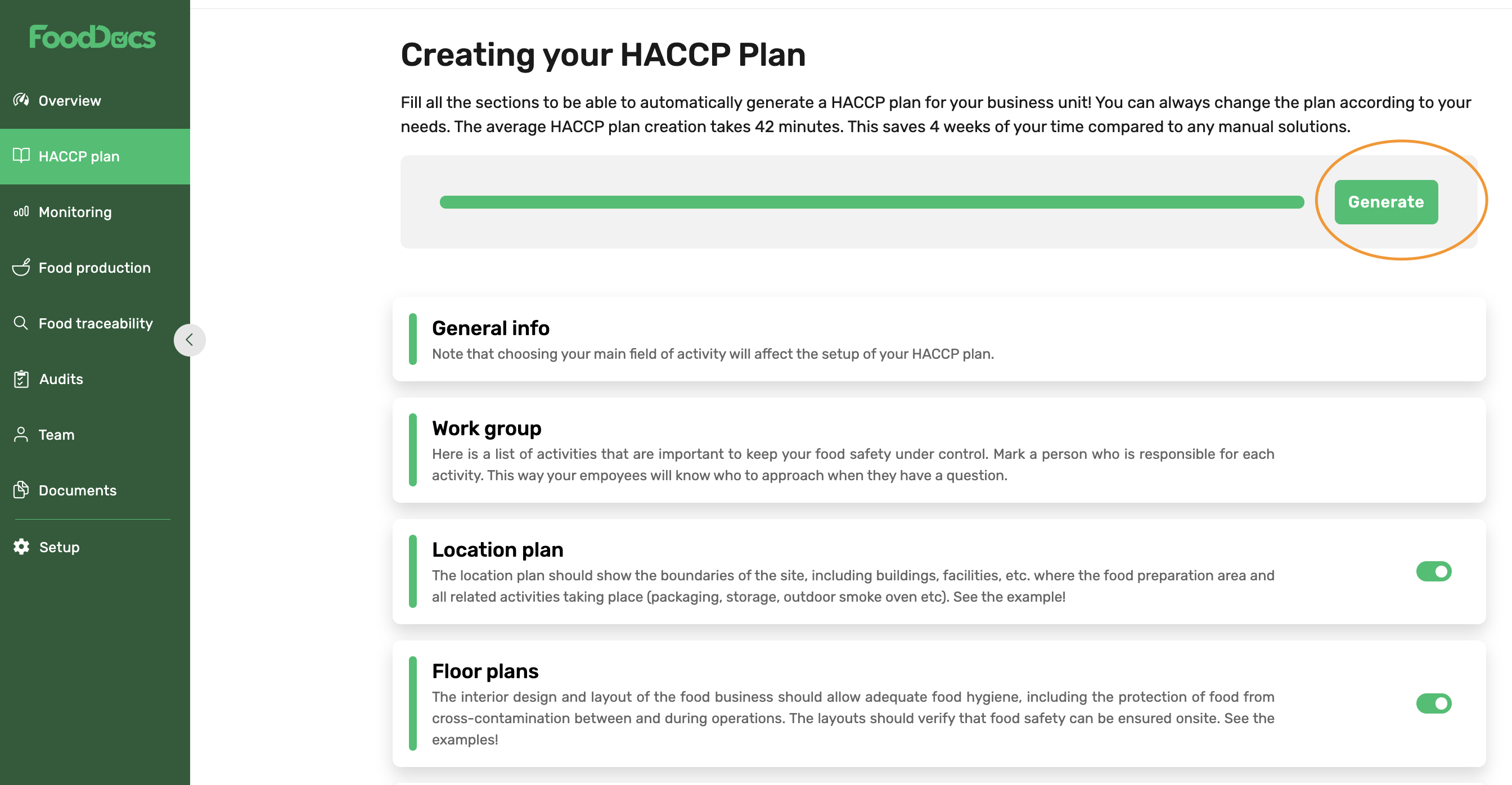
- Click Download
- The HACCP plan download may take up to 3 minutes.
- If you didn’t get the file, please check your downloads folder.
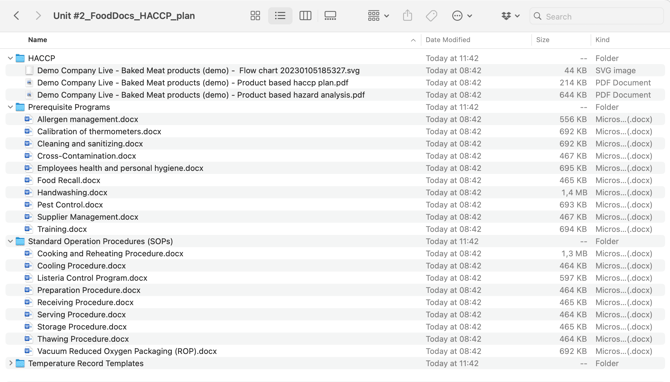
The HACCP download .zip file contains the required files for your inspector. You don't need to add a product list, an ingredient list, or any general data:
- HACCP documents (all product lines/groups are in one folder)
- HACCP plan > in PDF format, table format
- Hazard analysis > in PDF format, table format
- Flow chart > in SVG format, drawing
- Prerequisite Programs, PRPs (update or edit them in File Storage if needed)
- Standard Operation Procedures, SOPs (update or edit them in File Storage if needed)
- Temperature Record Templates (example files only)
Something we haven't covered?
Feel free to reach out via the Live chat button or email support@fooddocs.com