
We know that digitising daily operations and getting started with a new system can feel overwhelming—but with FoodDocs, it’s easy.
Set up your Food Safety Management System in just minutes by answering a few simple questions about your business. Our AI automatically creates your first monitoring tasks, so you can start monitoring immediately after signing up.
Step 1
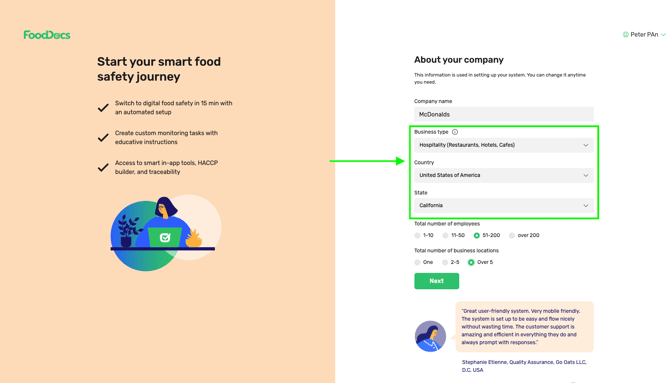
Choose the business type that best fits your needs. We’ll automatically set up the most common tasks based on your selection and country.
Step 2
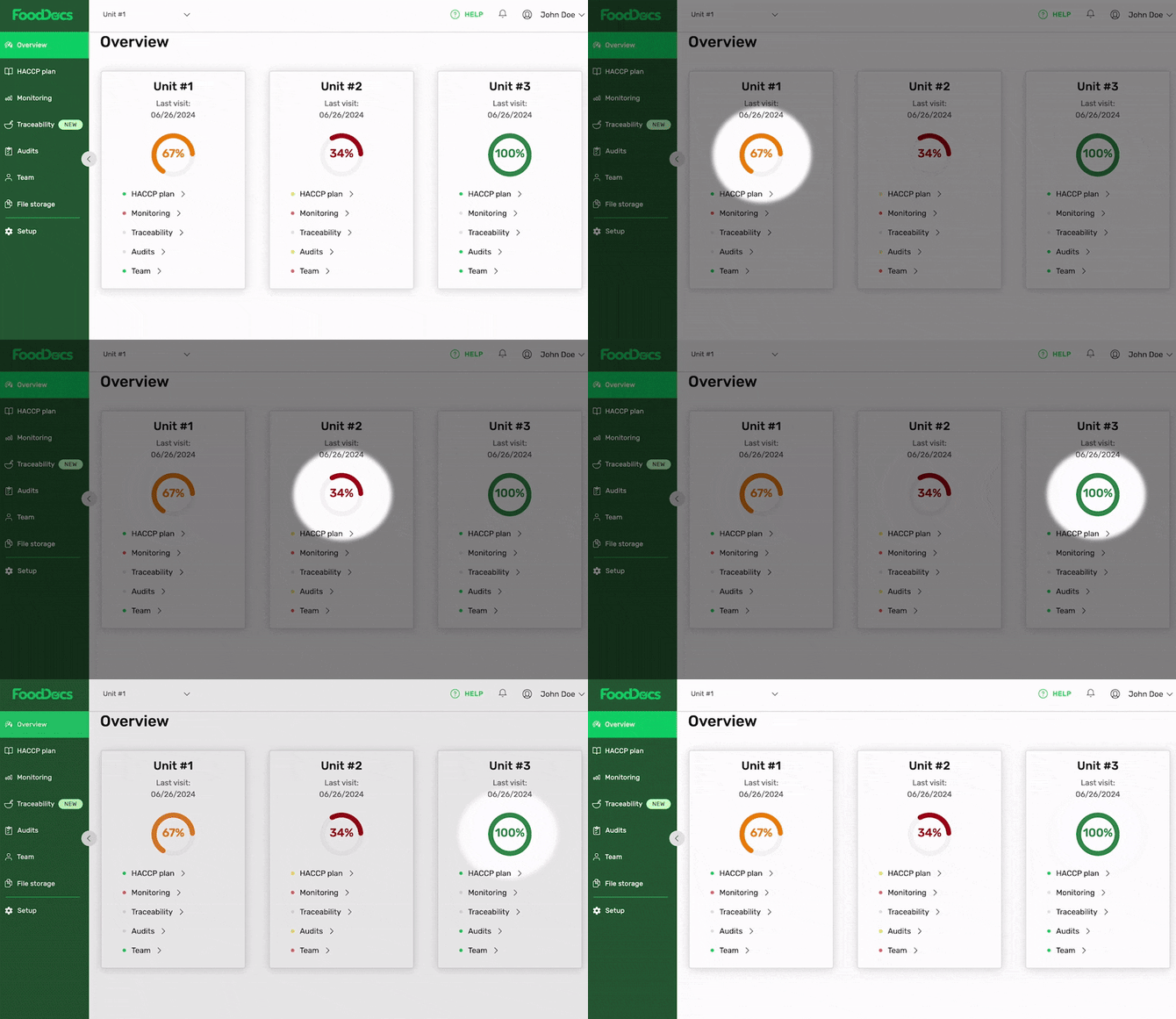
After setup, you will see the dashboard with the instant overview that gives a simple and powerful outline of the Food Safety Management System from all your business locations. This feature helps save your time on supervision.
🟢 If everything is correct and completed on time, the color is green.
🟡 If something needs your attention, the light turns yellow.
🔴 The locations with critical issues are displayed in red.
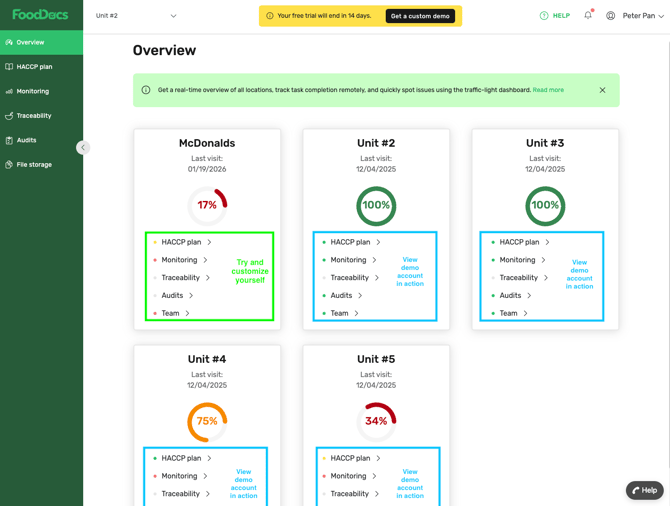
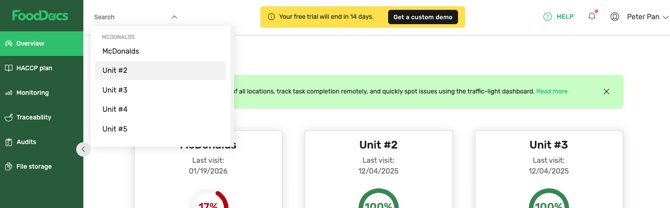
Along with your newly created location, you also have access to four demo locations prefilled with data so you can see the software in action right away. Feel free to explore.
To try the software yourself, select your location’s features and complete or customize the setup. Don’t worry—once you activate your subscription, the demo locations will be automatically removed.
Step 3
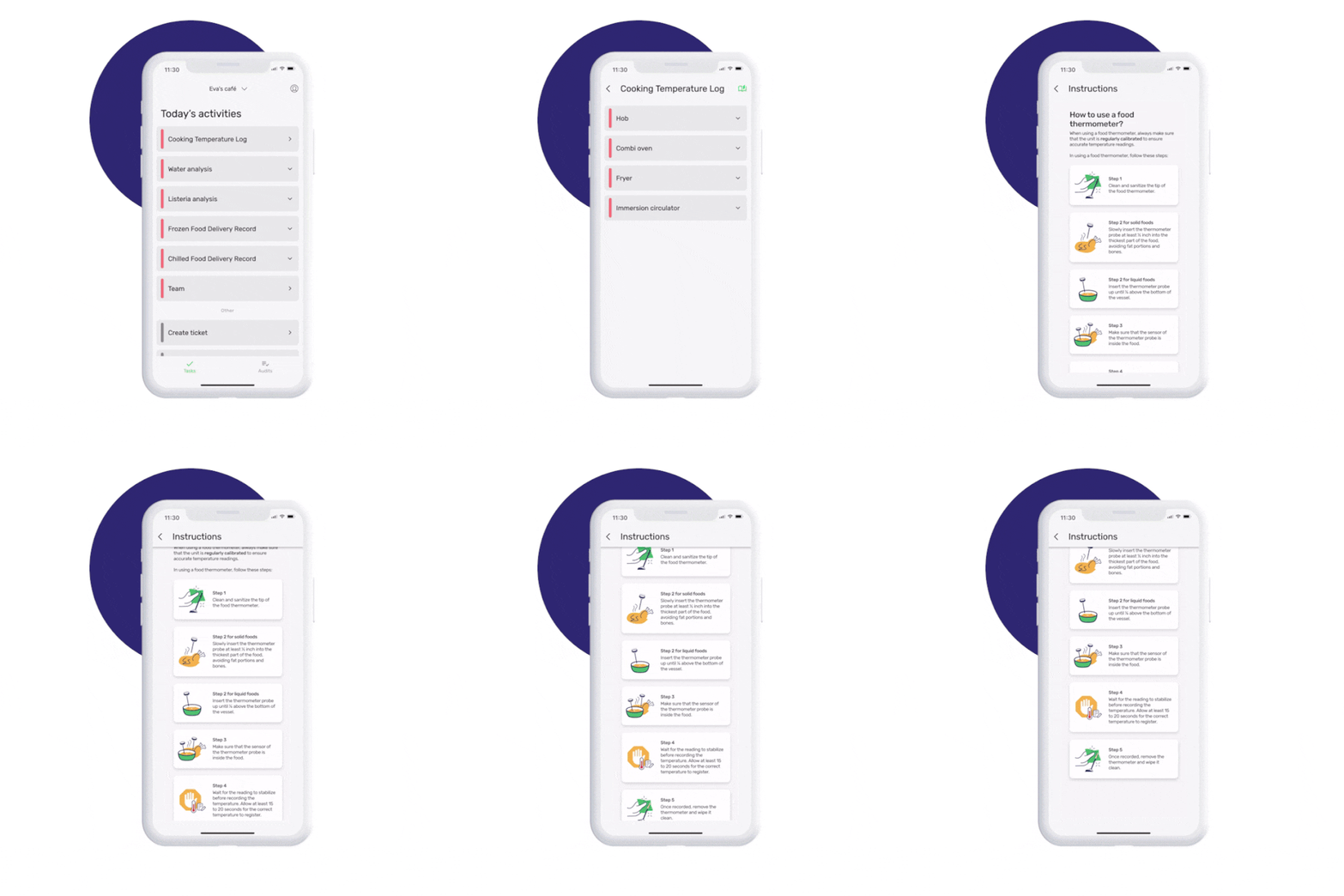
The best way to see how easy it is to complete daily tasks is by trying the mobile app. Download the Android or iOS app—daily tasks are already set up and ready to go.
Step 4
Now, invite your team to start with FoodDocs.
Finally, be sure to check out this video. A comprehensive demo of all things in FoodDocs.