
To add a new payment card in FoodDocs, follow these steps:
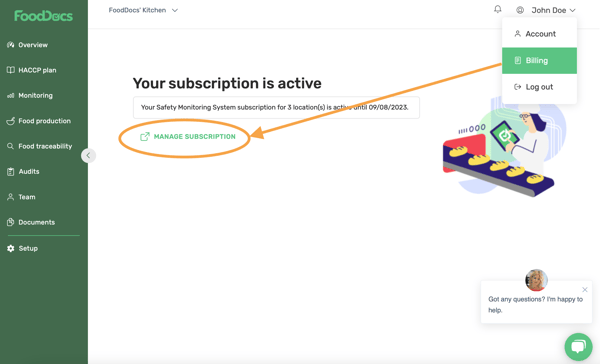
- Log into your FoodDocs account
- Go to the Billing section
- Click MANAGE SUBSCRIPTION
- In the Payment method section, locate your existing card details
- Click + Add payment method
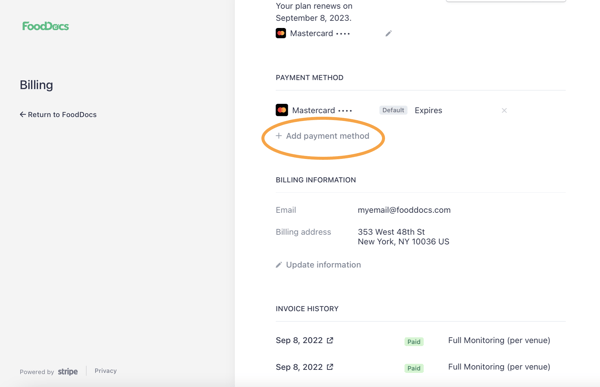
- Enter your new card details
- Click ADD
You can also update your billing email address and billing address from this same page by clicking Update information.
Something we haven't covered?
Feel free to reach out via the Live Chat button or email us at support@fooddocs.com